Tesla App 4.63 Hides a Manual 'Precondition Battery' Button: Start 1 Hour Before Charging, Warm Pack Held 30 Minutes
Tesla app 4.63.0 code reveals a hidden Precondition Battery button for faster winter Supercharging. How it works, how preconditioning works today, and cold-weather road trip tips.
Photo: Tesla
Tesla owners may soon be able to warm their battery for fast charging with one tap on their phone. Code in Tesla app version 4.63.0, which reached the Apple App Store on November 17, contains hidden "Precondition Battery" and "Stop Preconditioning" buttons. Not a Tesla App found the strings by decompiling the update and published them on November 18.
Tesla has not announced the feature, and the buttons are not visible to users yet. But the help text spells out how it would work, and it lines up with what cold-weather Tesla drivers have asked for for years. Here is what was found, how preconditioning works today, and how to charge faster on a winter road trip right now.
4.63.0
Tesla app version with the hidden buttons
1 hour
How early the app says to start before charging
30 min
Time the warm pack temperature is held
~9 min
Extra time a cold Model Y took to charge 10-80% in one test
What the Tesla App 4.63 Code Shows
According to Not a Tesla App, the new strings describe a manual battery warm-up aimed at DC fast charging. The key lines:
Buttons: "Precondition Battery" and "Stop Preconditioning."
Timing: "Begin one hour before you plan to charge." Once the pack reaches its optimal temperature, the car holds it there for 30 minutes.
Error messages for three cases: the car is already plugged into a fast charger, the battery level is too low, or the model does not support the feature.
AC charging: the text says preconditioning "does not noticeably improve charge rates at AC chargers." In other words, this is for Superchargers and other DC fast chargers, not Level 2 at home or at a hotel.
Existing behavior: another line notes that your Tesla "will automatically precondition when navigating to Tesla Superchargers or other known fast chargers."
The code does not say which models will get it. The "unsupported model" error suggests some older cars may be left out. The official 4.63.0 release notes mention only a shared login with the Tesla Robotaxi app, plus a switch from Apple Maps to Google Maps in the iPhone app.
There are also signs of work on the car side. Tesla software researcher @greentheonly posted on November 17 that recent vehicle firmware includes "some rework about battery precondition," alongside a smart charging mode and Supercharger queue changes. Drive Tesla Canada identifies that build as software update 2026.44.1. Not a Tesla App suggests a manual option could appear on the car's touchscreen too, but that has not been confirmed.
How Tesla Battery Preconditioning Works Today
Right now, there is no simple "warm my battery" button. Tesla warms the pack automatically only when the car knows you are heading to a fast charger:
Navigate to a Supercharger. Set a Supercharger as your destination, or let Trip Planner add one to your route. Tesla's support page says the car "will automatically preheat your vehicle's battery as you approach the Supercharger."
Give it 30-45 minutes. The Model Y owner's manual recommends using Trip Planner to navigate to a Tesla charging location "for at least 30-45 minutes before arrival" to get the best battery temperature.
Third-party fast chargers. An early-2025 software update (2025.2) added preconditioning for "additional third-party fast chargers, even if they aren't listed on the charger list." You still have to set the charger as your navigation destination.
The workaround for short trips. If the charger is only a few minutes away, navigation-based warming may not have time to work. The owner's manual suggests preconditioning before you leave instead. In the Tesla app, turning on Climate or Defrost Car warms the battery along with the cabin, though it heats the cabin too.
That gap is what the new button would close: a way to warm only the battery, from your phone, before you get in.
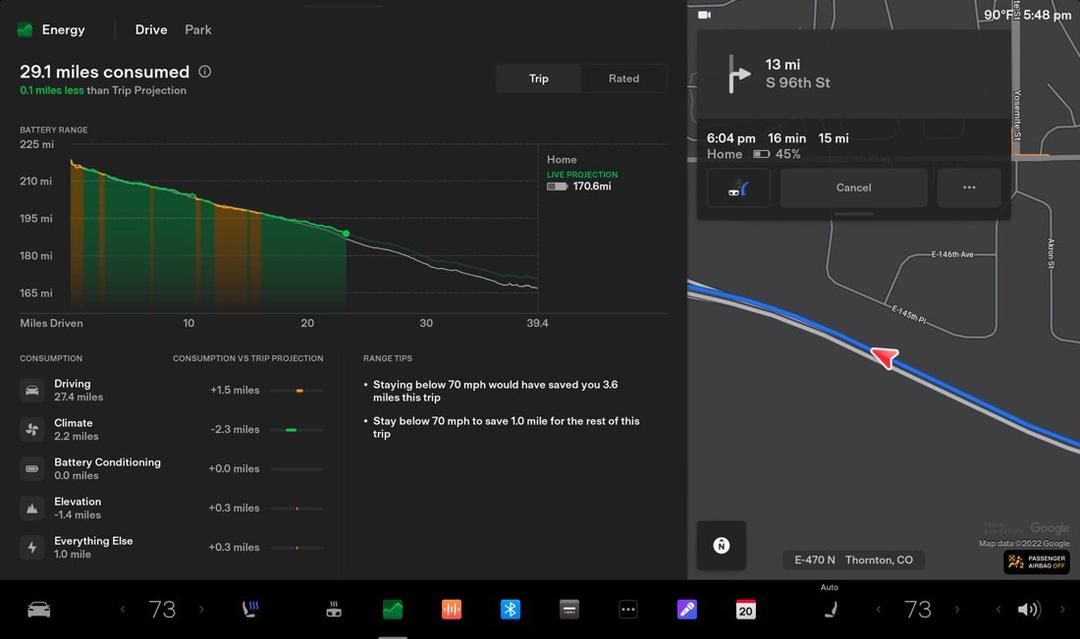
The Energy app on a Tesla touchscreen shows how much range goes to "Battery Conditioning" on a trip. Photo: Tesla
Advertisement
How Much Faster Is Charging With a Warm Battery?
Lithium-ion batteries accept power fastest when warm. A cold pack limits charging speed. The owner's manual warns that "regenerative braking, acceleration, and charging rates may be limited" when the battery is cold, and a blue snowflake icon appears until it warms up.
The difference can be large. In a test reported by InsideEVs in December 2023, a Model Y owner in Sweden charged from 10% to 80% on the same V3 Supercharger twice:
Session
Outside temp
Peak power
10-80% time
Battery preconditioned
30°F
238 kW
33 min
Cold battery (cabin warmed only)
21°F
135 kW
42 min
Source: It's Only Electric on YouTube, via InsideEVs. One owner's test, not a lab result.
Most of the gap came in the first half of the session. From about 50% to 80%, both charging curves were nearly the same. Tesla's own charging team has said its preconditioning adjusts for seasonal temperatures and can save about 10 minutes per Supercharger session, according to Notebookcheck.
Not released yet
App code is not a launch. Tesla has not confirmed the feature, a release date, or supported models. Not a Tesla App notes that hidden code has come before past launches, such as FSD referral rewards, but features found in code can also change or never ship. Preconditioning also uses battery energy, and the strings don't say how much.
Advertisement
Winter Road Trip Tips for Tesla Owners
Until the button arrives, these steps will get you the fastest charging this winter:
Always navigate to your charging stop. Set the Supercharger as your destination as early as possible, even if you know the way. No destination usually means no warm-up.
Plan for 30-45 minutes of warming. If your stop is closer than that, run Climate or Defrost from the app before you leave, ideally while still plugged in at home.
Leave plugged in overnight. Tesla says preconditioning while plugged in uses outside power, not your battery, and recommends staying plugged in when you can, even well below freezing.
Schedule your departure. Tesla suggests setting charging to finish close to when you leave, so the battery is still warm.
Keep 50% or more when parked unplugged. Tesla says this reduces the effect of cold on the battery.
Watch for the blue snowflake. If you see it, expect slower charging and weaker regen until the pack warms.
Deal with a frozen charge port. Use the charge port heater, or turn on Defrost in the Tesla app to help thaw it.
For more on cutting winter range loss, see our guide to EV range in winter.
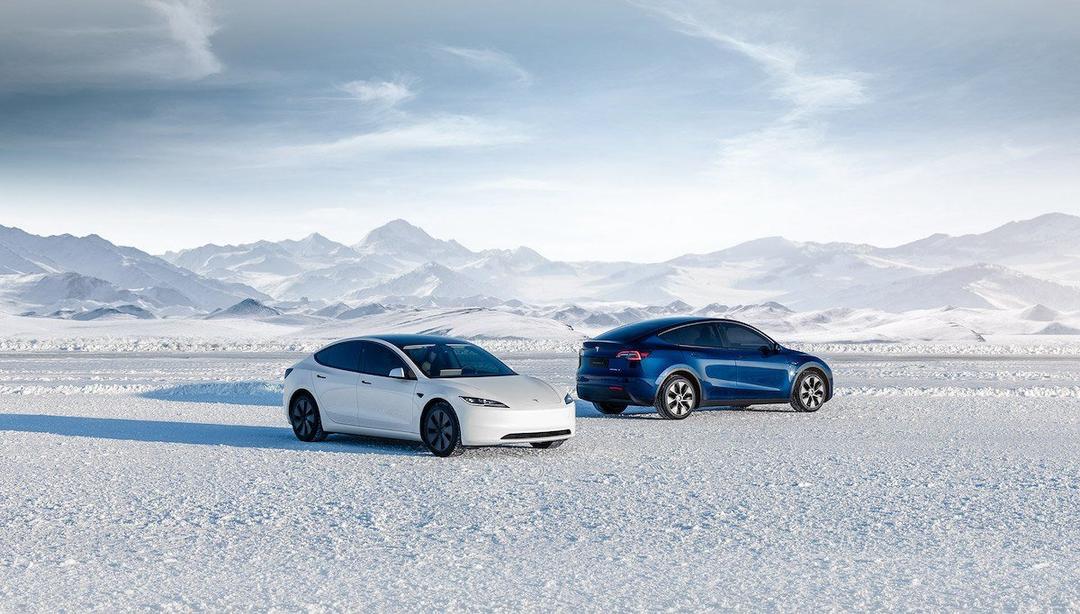
Cold packs charge slower, so warming the battery before a fast-charging stop matters most in winter. Photo: Tesla
What It Means for US Tesla Owners
For most highway road trips, little changes. Trip Planner already warms the battery on the way to a Supercharger. The button matters most in three cases: a short drive to a nearby Supercharger on a cold morning, a third-party fast charger the car doesn't recognize, and owners who want to warm the pack at home on wall power before leaving.
The bottom line: Tesla app 4.63.0 contains a hidden "Precondition Battery" button meant to be pressed about an hour before a DC fast-charging stop, with the warm temperature held for 30 minutes. It isn't live and Tesla hasn't confirmed it. Until it is, navigate to every Supercharger 30-45 minutes out, stay plugged in at home, and use Climate or Defrost for short trips. A warm battery can save you around 10 minutes per stop in winter.